User Guide • V12 • 15 Modules

User Guide – How to Create a Folder Permission Matrix

Step-by-step guide for installing, configuring and scanning NTFS folder permissions with Folder Report.

15
Excel/CSV
NTFS + AD
Windows

Quick Start

Get your first report in 3 steps.

1
1 — Set Parameters
  • Select the Root Folder from the Parameters tab (e.g. \\FS01\Share).
  • Set the Base File Name (e.g. Report).
  • Set the Maximum Depth (recommended: 3–5).
  • Lower the Row Limit to 500,000 in large environments.
2
2 — Define Exclusions
  • Add folders you don't want scanned to the Exclusions tab.
  • List system folders ($RECYCLE.BIN, etc.).
  • Use Bulk Add to add multiple paths at once.
3
3 — Report & Archive
  • Select Excel and/or CSV from the Reporting tab.
  • Set the report location and archive folder.
  • Click Save All Settings in the bottom panel.
  • Click Manual Start to get your first report.
💡 First-Run Tip: Start with a small test folder (e.g. 100 folders, depth 2). Once results look correct, switch to the real root folder and gradually increase depth.

Tab Guide

Purpose, steps, screenshots and tips for each module.

Summary Screen

Dashboard

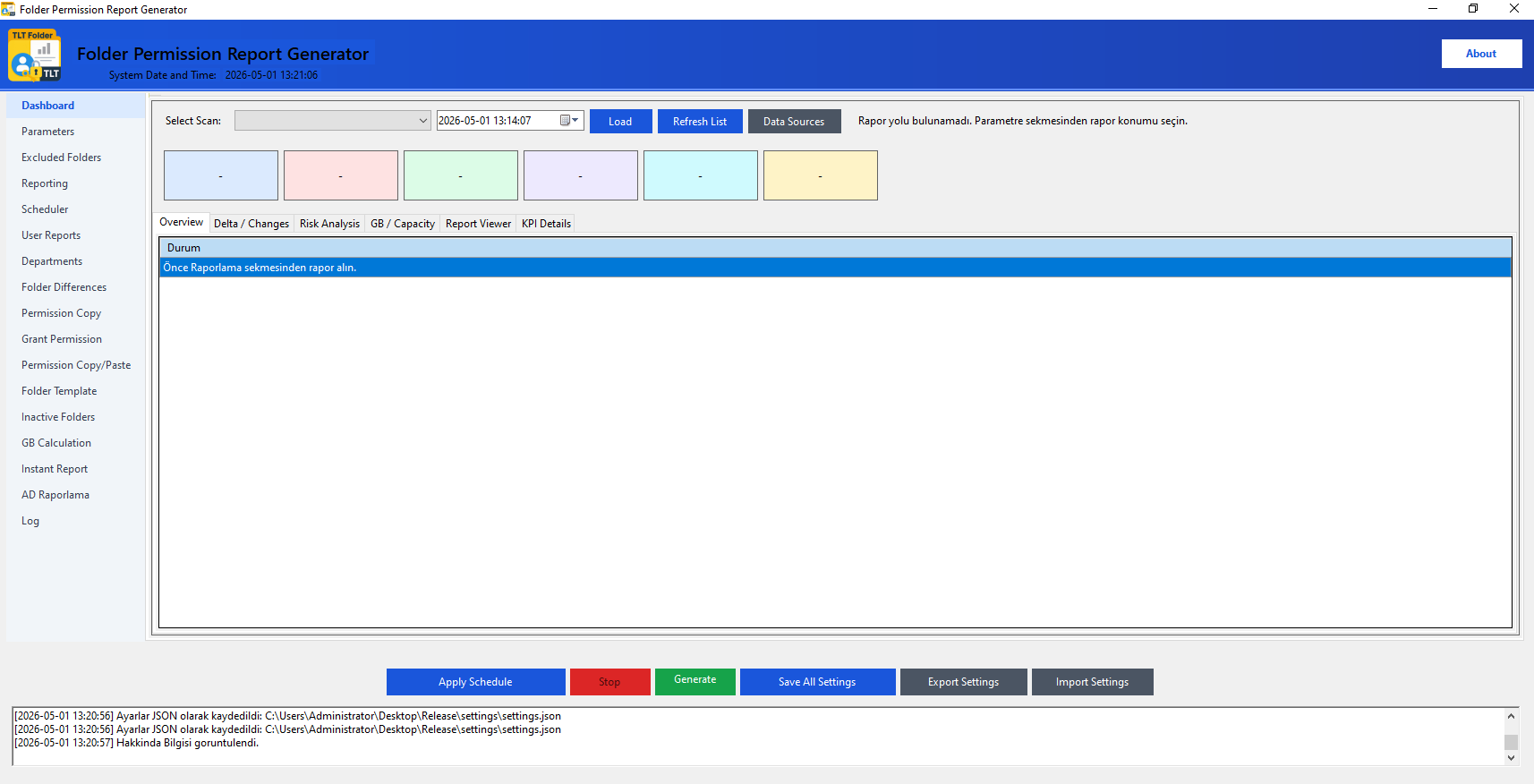
View your full scan summary on one screen — KPIs, delta, risk score and report browser.

Dashboard

KPI Cards

  • Total Folders: Number of scanned folders.
  • Risky Folders: Folders containing risky permissions such as Everyone/Modify.
  • Unique Identities: Total users/groups referenced in the report.
  • Permission Rows: Total ACL records.
  • Delta Changes: Number of permissions changed since the previous scan.
  • Security Score: Score based on risk calculation (0–100%).

Sub-Tabs

  • Overview: Full folder/permission list.
  • Delta/Differences: Permission change table.
  • Risk Analysis: Risky permissions list.
  • GB/Capacity: Size data.
  • Report Viewer: Available Excel reports.
  • KPI Detail: Module-level detail.
Core Settings

Parameters

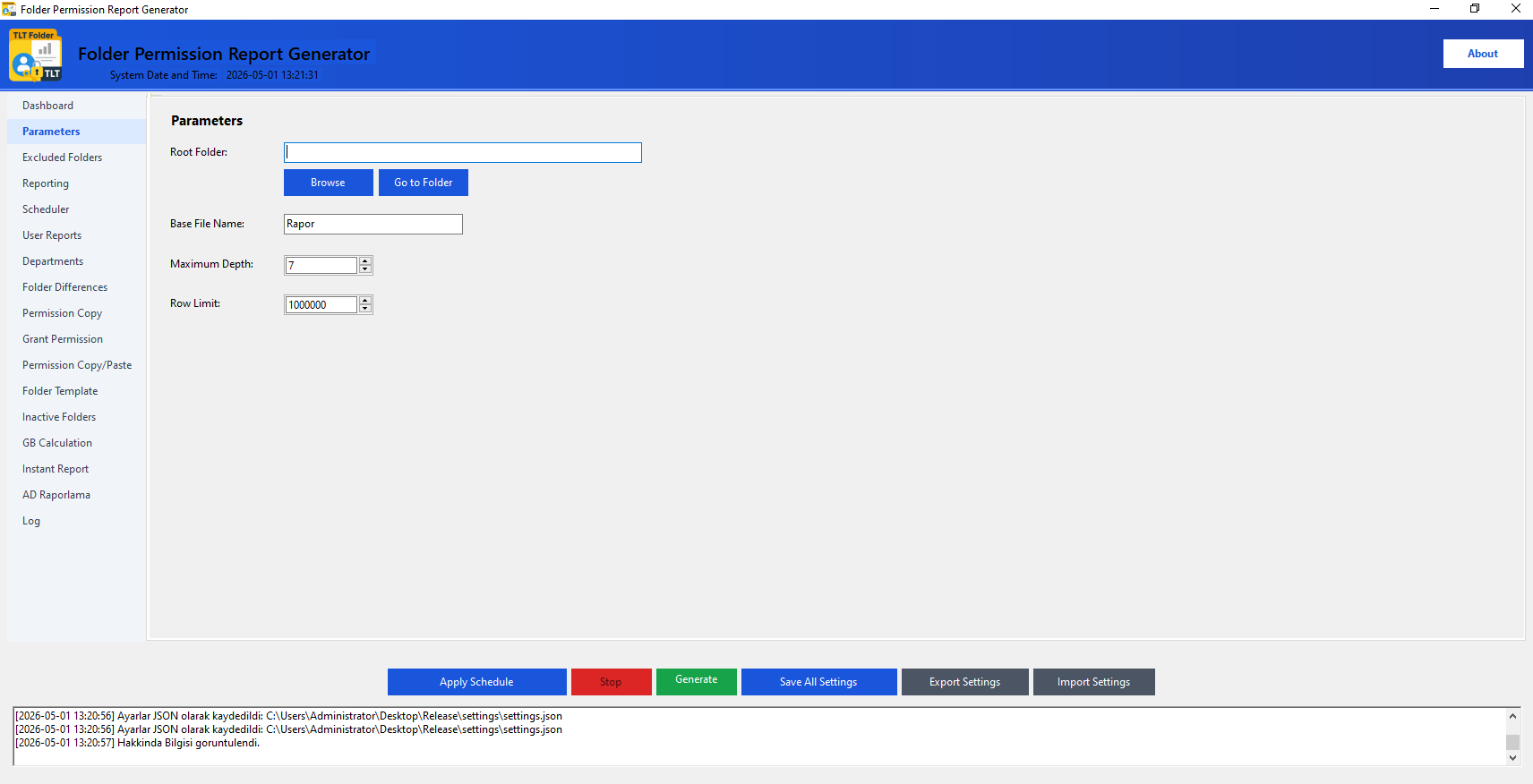
Root folder, file name, depth and row limit settings that form the basis of reporting.

Parameters

Fields

  • Root Folder: Top-level folder path to scan.
  • Base File Name: Name for the generated Excel/CSV file (without extension).
  • Maximum Depth: How many sub-levels to descend. 3–5 recommended for large disks.
  • Row Limit: Maximum number of records in the report. Default: 1,000,000.

Recommendations

  • Use a UNC path: \\ServerName\Share
  • In large environments, start with a low depth and increase gradually.
  • Verify the path with the Go to Folder button.
  • Changes are saved with Save All Settings in the bottom panel.
Filter

Exclusions

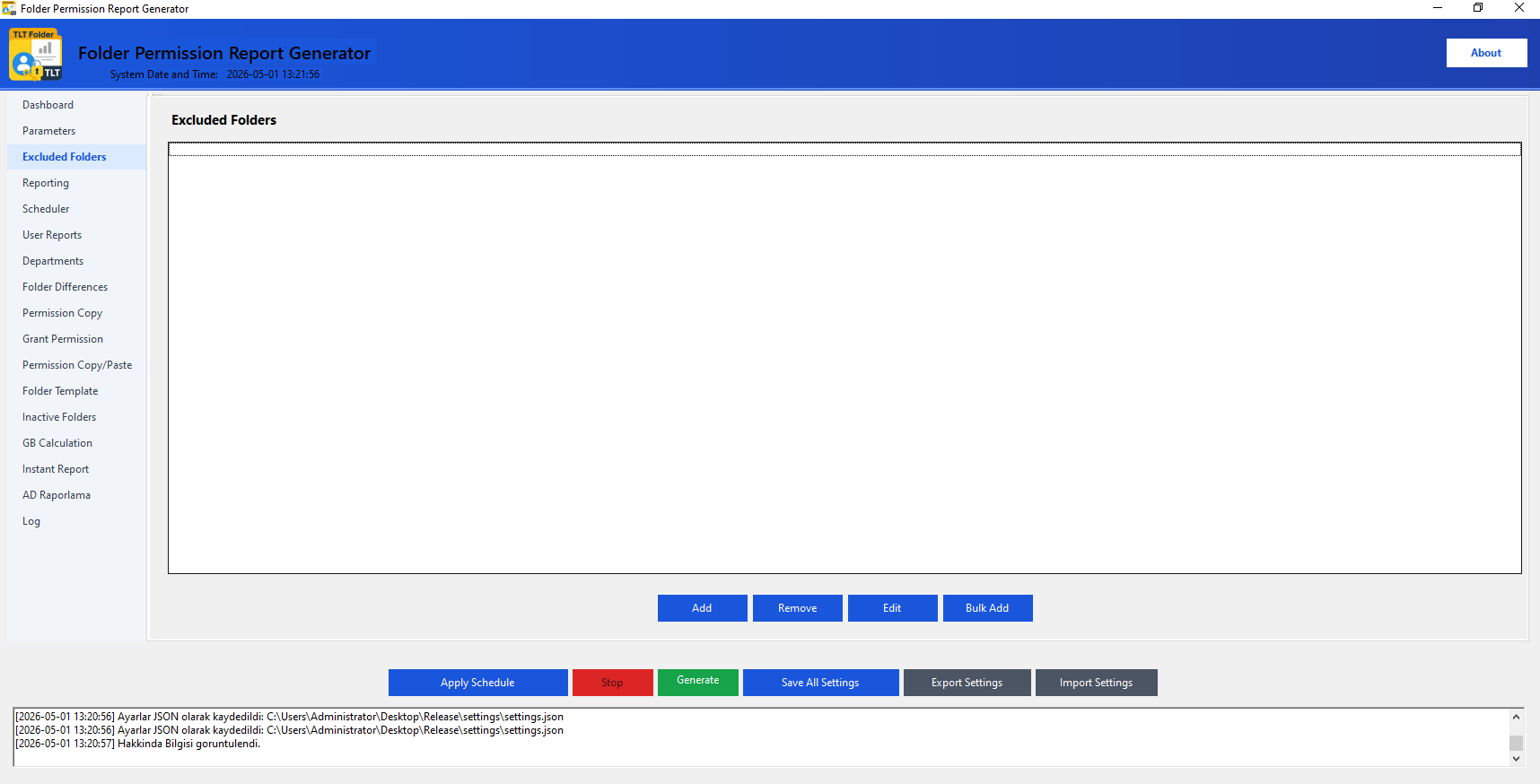
Manage folders to be excluded from the scan scope.

Exclusions

Actions

  • Add folder paths one by one with the Add button.
  • Use Bulk Add to enter multiple paths at once.
  • Select from the list and use Edit or Remove to update.
  • Save settings with Save All Settings.

Common Exclusions

  • $RECYCLE.BIN
  • System Volume Information
  • DfsrPrivate
  • Temporary / backup folders
  • System folders with high permission counts
Output Management

Reporting

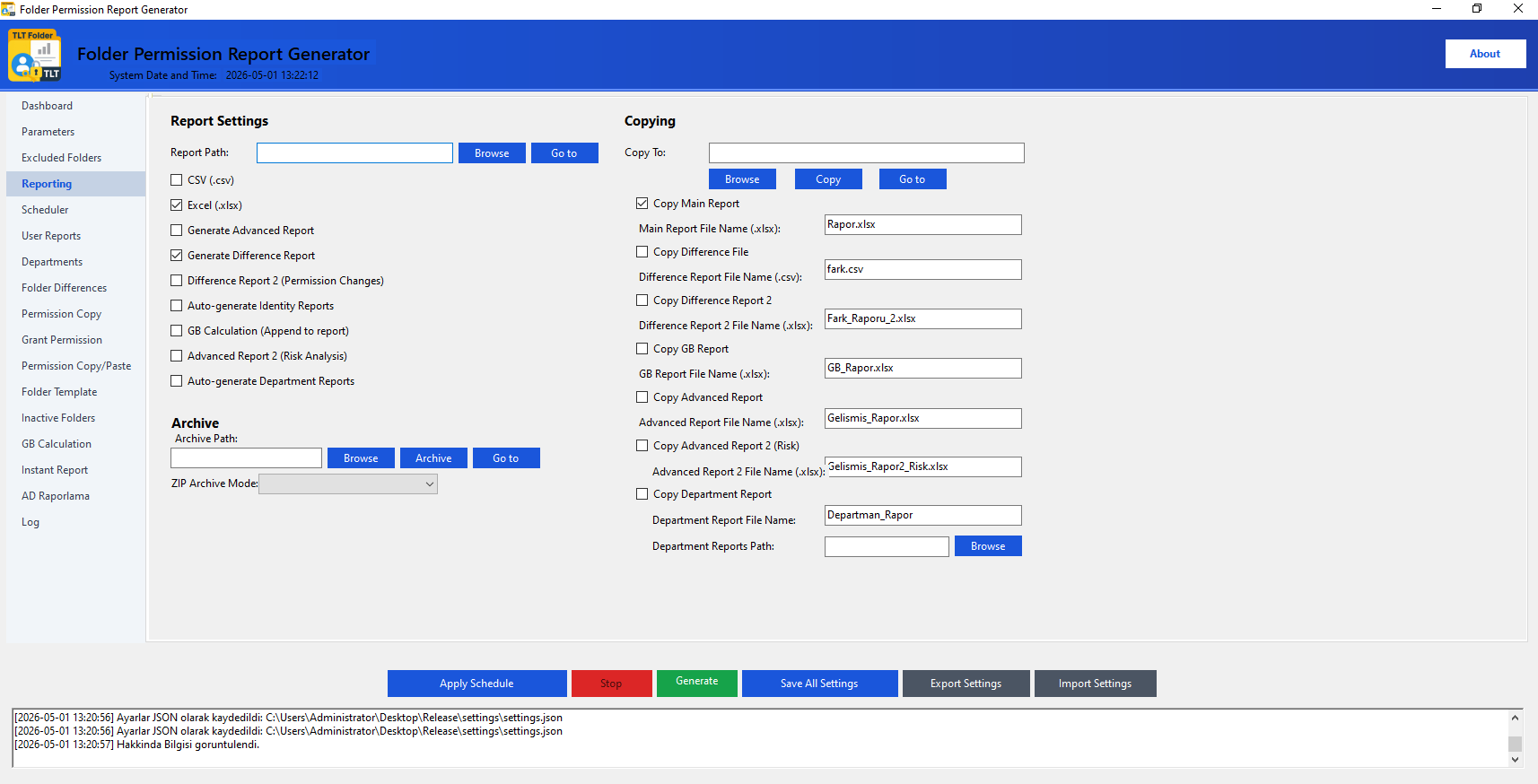
All output format, report location, advanced reports, copy and archive settings in one tab.

Reporting

Report Settings (Left)

  • Report Location: Folder where Excel/CSV files will be saved.
  • CSV (.csv): Lightweight, fast output.
  • Excel (.xlsx): Filterable, visually rich.
  • Generate Difference Report: Check for delta analysis.
  • Advanced Report: Includes risk and detailed ACL table.
  • Auto-generate Identity Reports: Separate report per user.
  • GB Calculation: Adds size information.

Copy & Archive (Right)

  • Copy Location: Additional folder to copy reports to.
  • Check which reports to copy.
  • Set a custom file name for each report.
  • Archive Location: Target folder for ZIP archive.
  • ZIP Archive Mode: All in one ZIP or each report in a separate ZIP.
Scheduling

Auto Run

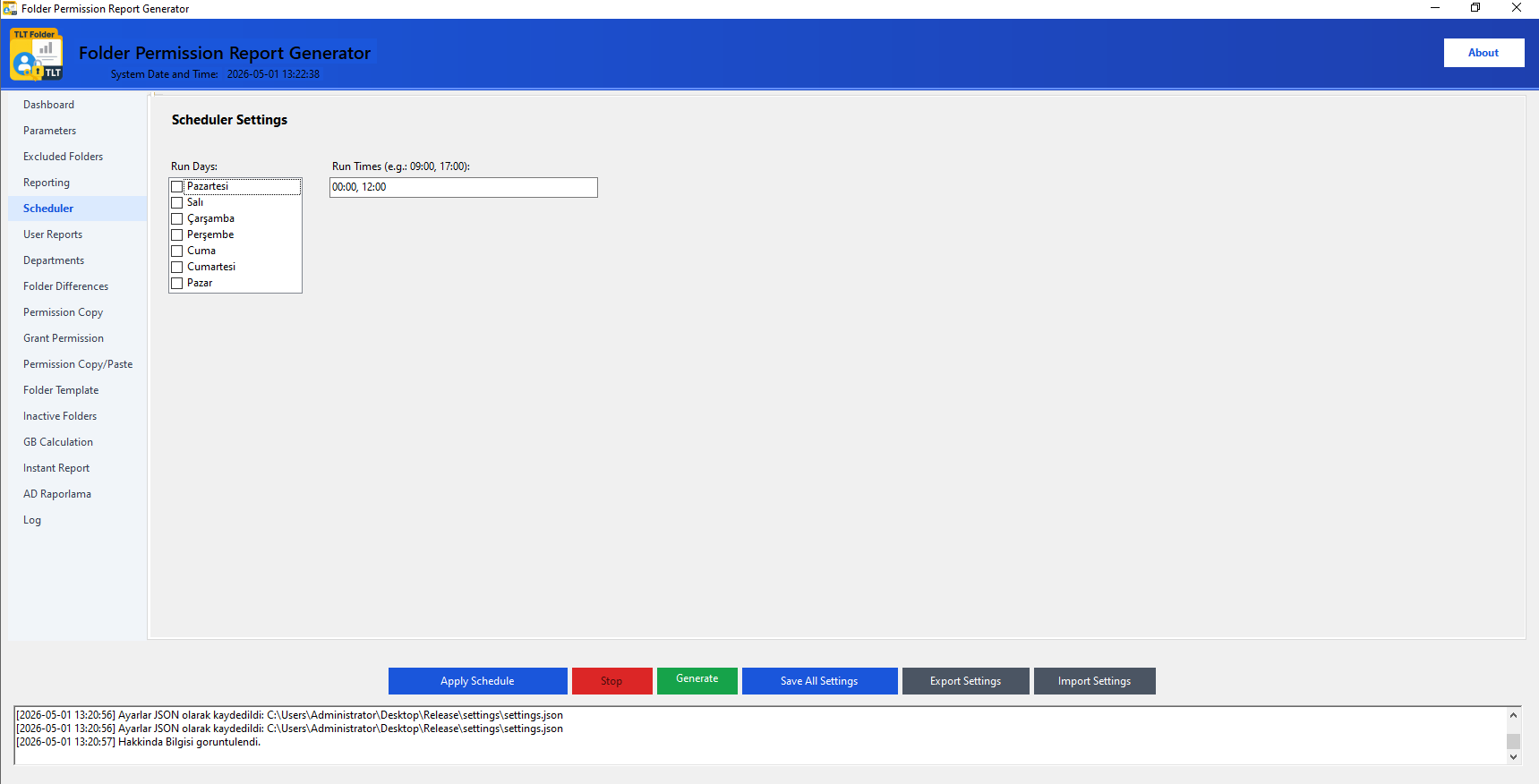
Configure the scheduler to automatically generate reports on specific days and times.

Auto Run

Configuration

  • Select day(s) from the Days to Run list.
  • Enter comma-separated times in the Hours to Run field (e.g. 08:00, 20:00).
  • Click Activate Auto Run in the bottom panel.
  • Keep the program running in the background.

Notes

  • If the program is closed, the scheduler will not run — keep it open.
  • Scheduling outside business hours reduces server load.
  • The Stop button cancels the active process.
  • Check the Log tab to see the result of the last run.
Identity-Based Report

User Reports

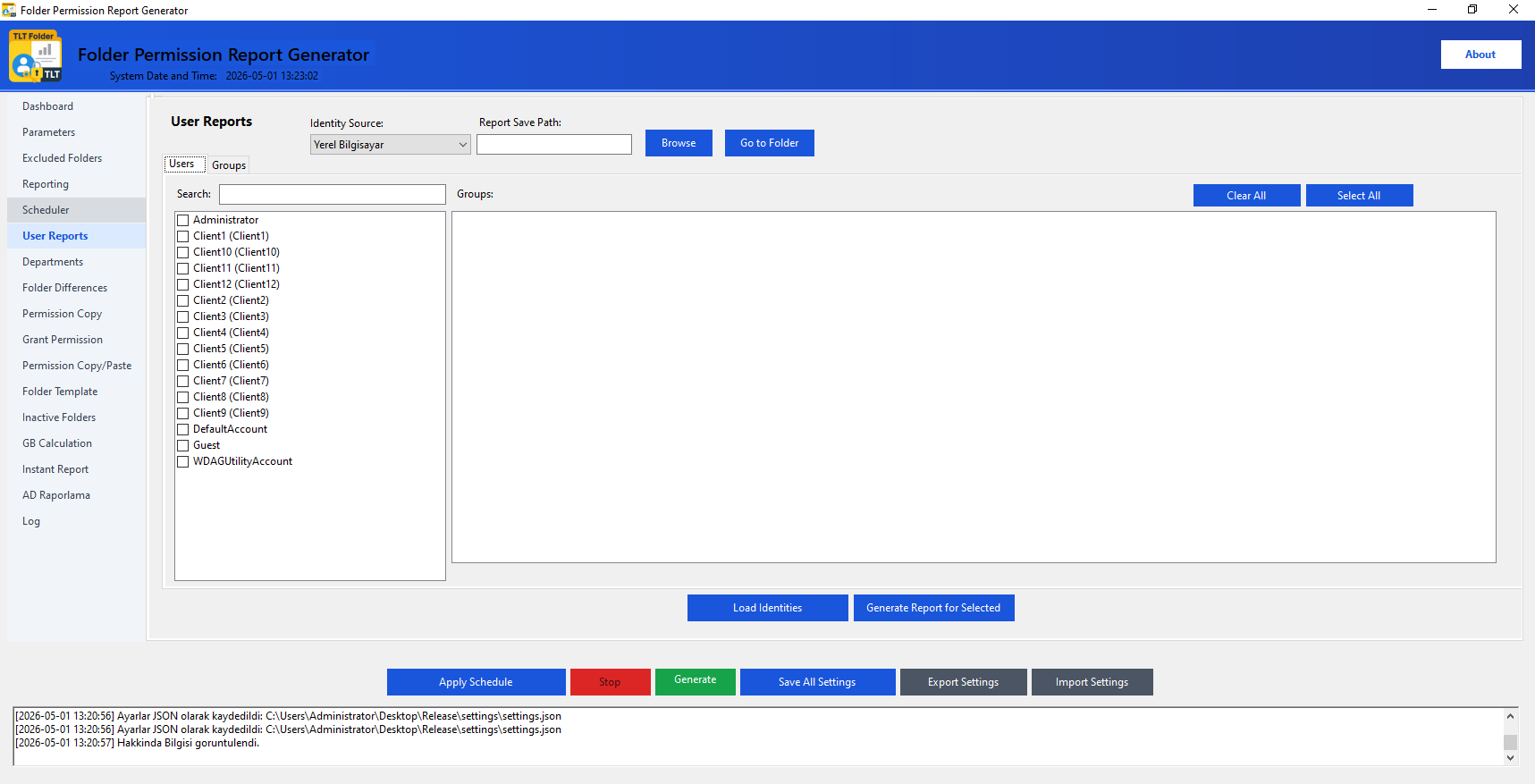
Generate identity-based access reports by selecting users/groups from Active Directory or Local Computer.

User Reports
User Reports 2

Steps

  • Select the Identity Source: Active Directory or Local Computer.
  • Click Load Identities — the list will populate.
  • Check identities from the Users or Groups tab.
  • Set the Report Save Location.
  • Click Get Report for Selected Identities.

Identity Sources

  • Active Directory: All AD users and groups in a domain environment. Use the search box.
  • Local Computer: Local accounts on standalone servers.
  • The Members panel auto-fills for selected groups.
Delta Comparison

Folder Differences

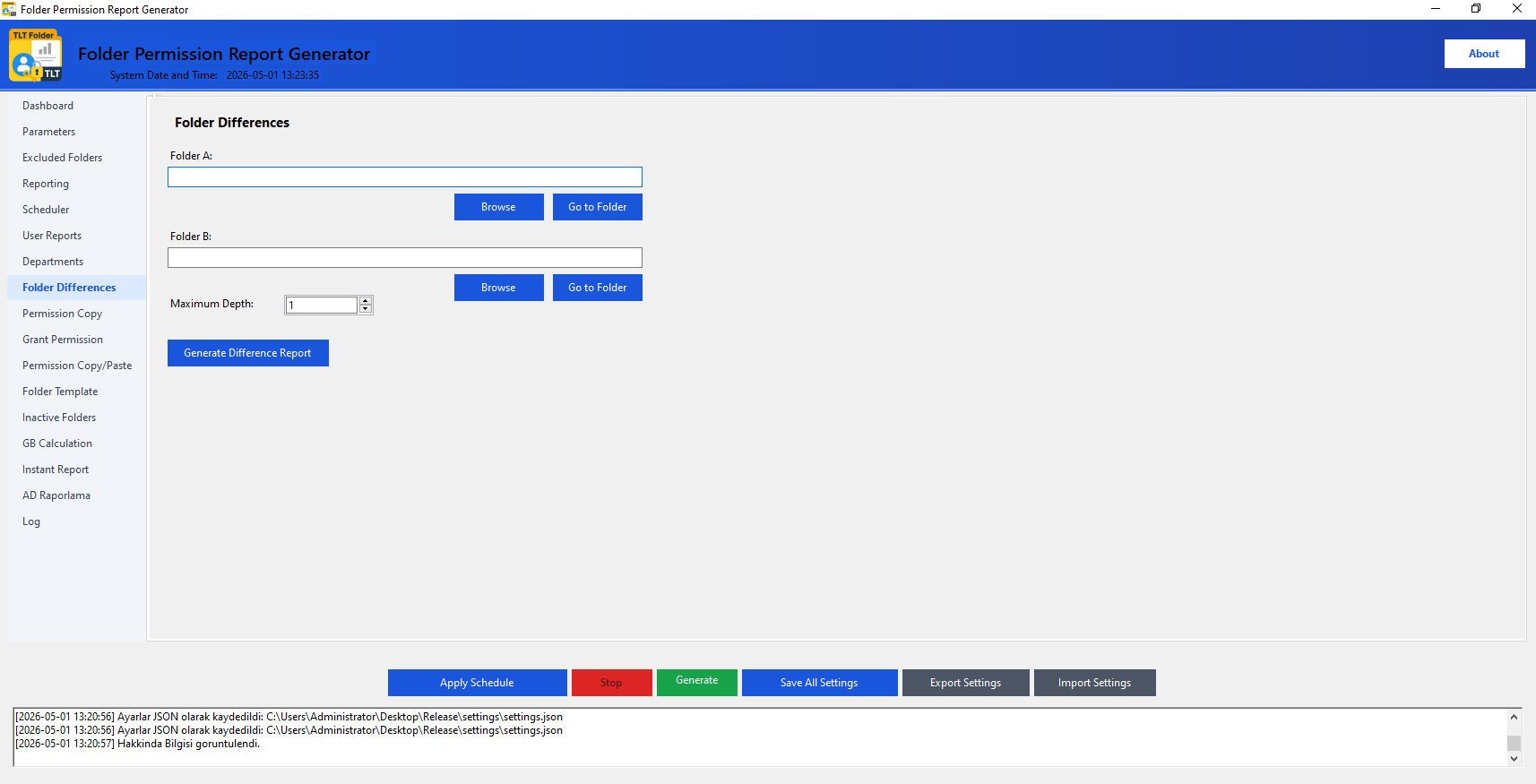
Select two different folders and report permission differences and added/removed rights.

Folder Differences

Steps

  • Select Folder A and Folder B (using Browse).
  • Set Maximum Depth.
  • Click Generate Difference Report.
  • The report is saved to the specified output folder.

Use Cases

  • Checking permission consistency between different servers.
  • Source ↔ target comparison after migration.
  • Tracking changes between two dates during regular audits.
ACL Transfer

Permission Copy

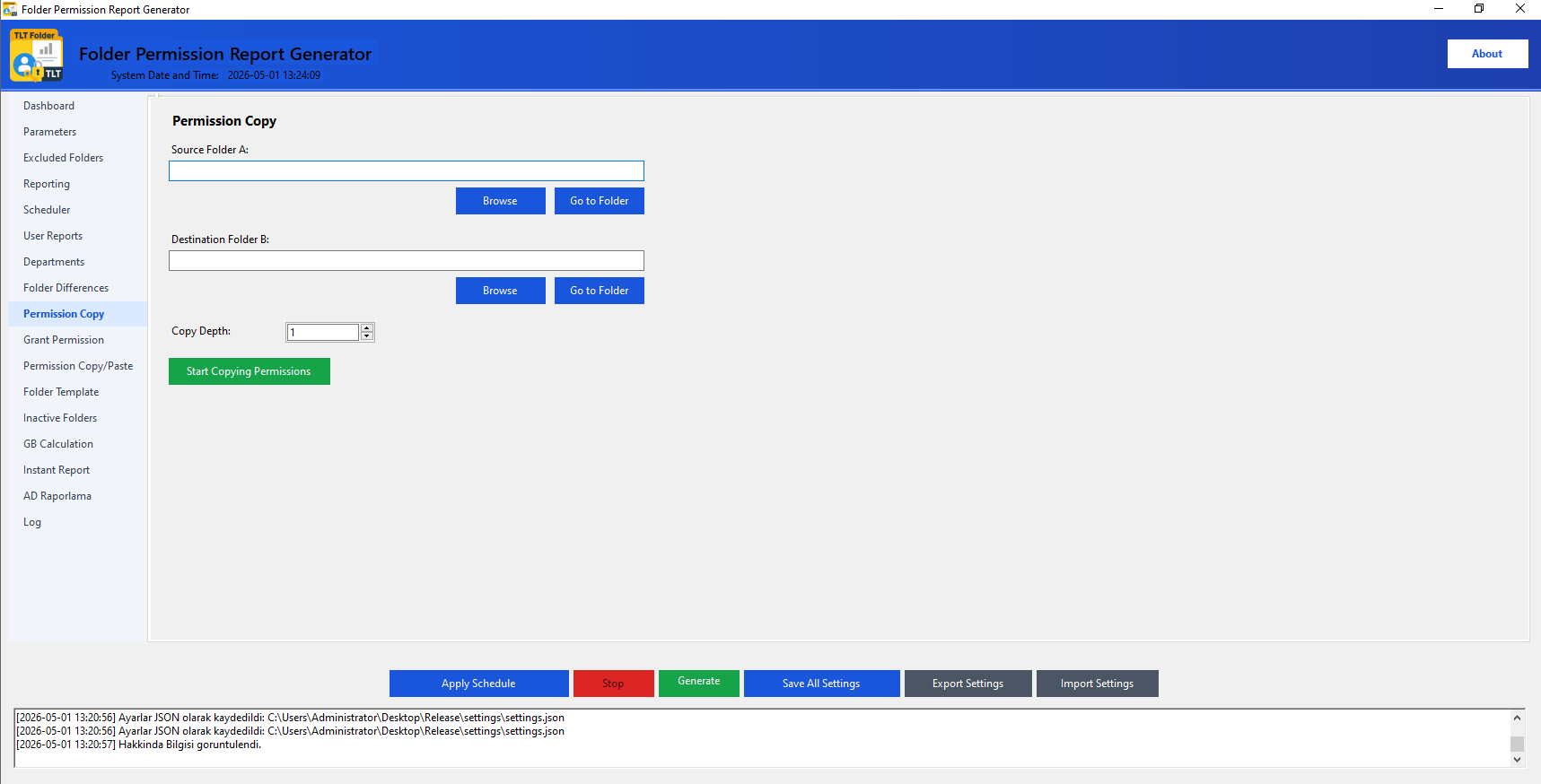
Copy NTFS permissions from a source folder to a target folder at a specified depth.

Permission Copy

Steps

  • Select the Source Folder.
  • Select the Target Folder.
  • Set the Copy Depth.
  • Click Start Copying Permissions.
  • Check the result in the Log tab.

Warnings

  • This action cannot be undone — report and archive the current state first.
  • Requires Domain Admin or sufficient NTFS rights.
  • The process may take a long time for large structures; monitor the log.
ACL Editing

Grant Permission

Add or remove folder permissions for AD users/groups; manage inheritance options.

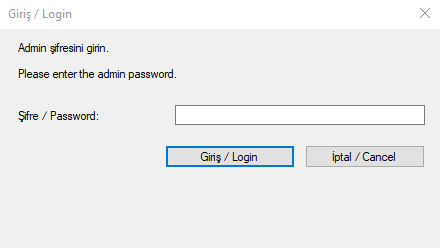
🔒 Security: The Grant Permission tab requires an admin password. The password is created on first launch.
Grant Permission

Steps

  • Log in with the admin password.
  • Select the target folder with Select Folder.
  • Check identity/identities from the Groups or Users tab.
  • Select permissions from Permission Management.
  • Set the type to Allow or Deny.
  • Configure inheritance options.
  • Click Add Permission or Remove Permission.

Inheritance Options

  • Enable Inheritance: Inherit permissions from parent folder.
  • Disable Inheritance: Create an independent permission structure.
  • Remove Existing Inherited Permissions: Start clean.
  • Apply to Subfolders: Propagate selected permission to entire sub-structure.
Quick ACL Transfer

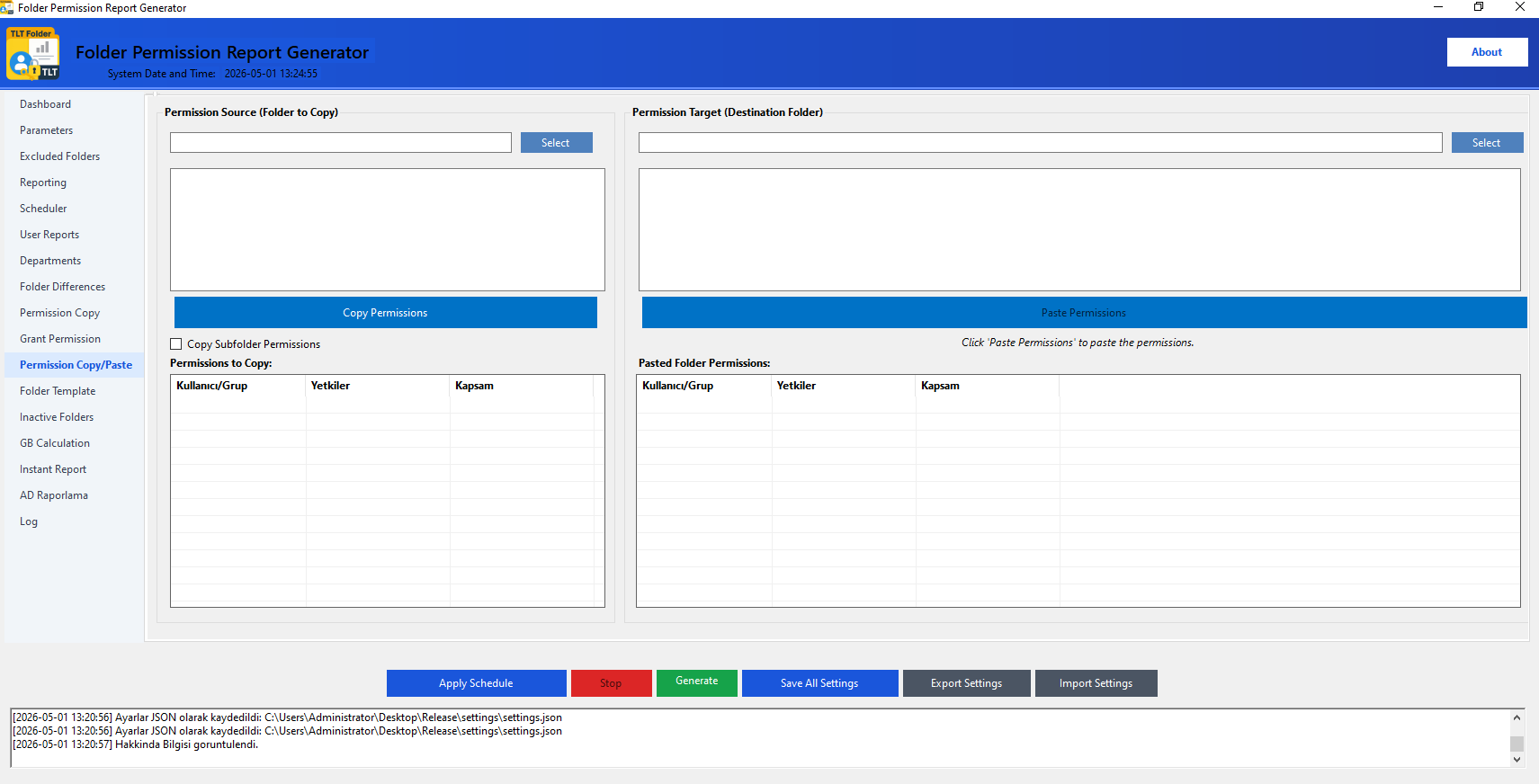
Permission Copy/Paste (New)

View the full permission set of a source folder and paste it to a target folder in one click.

Permission Copy/Paste (New)

Steps

  • Select the Folder to Copy — current permissions appear in the list.
  • Click Copy Permissions.
  • Select the Folder to Paste.
  • Check Also Copy Subfolder Permissions if needed.
  • Click Paste Permissions.

Difference: Permission Copy vs. This Tab

  • This tab is visual — view permissions first, then apply.
  • The Permission Copy tab is faster for bulk/deep structures.
  • Both are irreversible; report and archive first.
Standardization

Folder Template

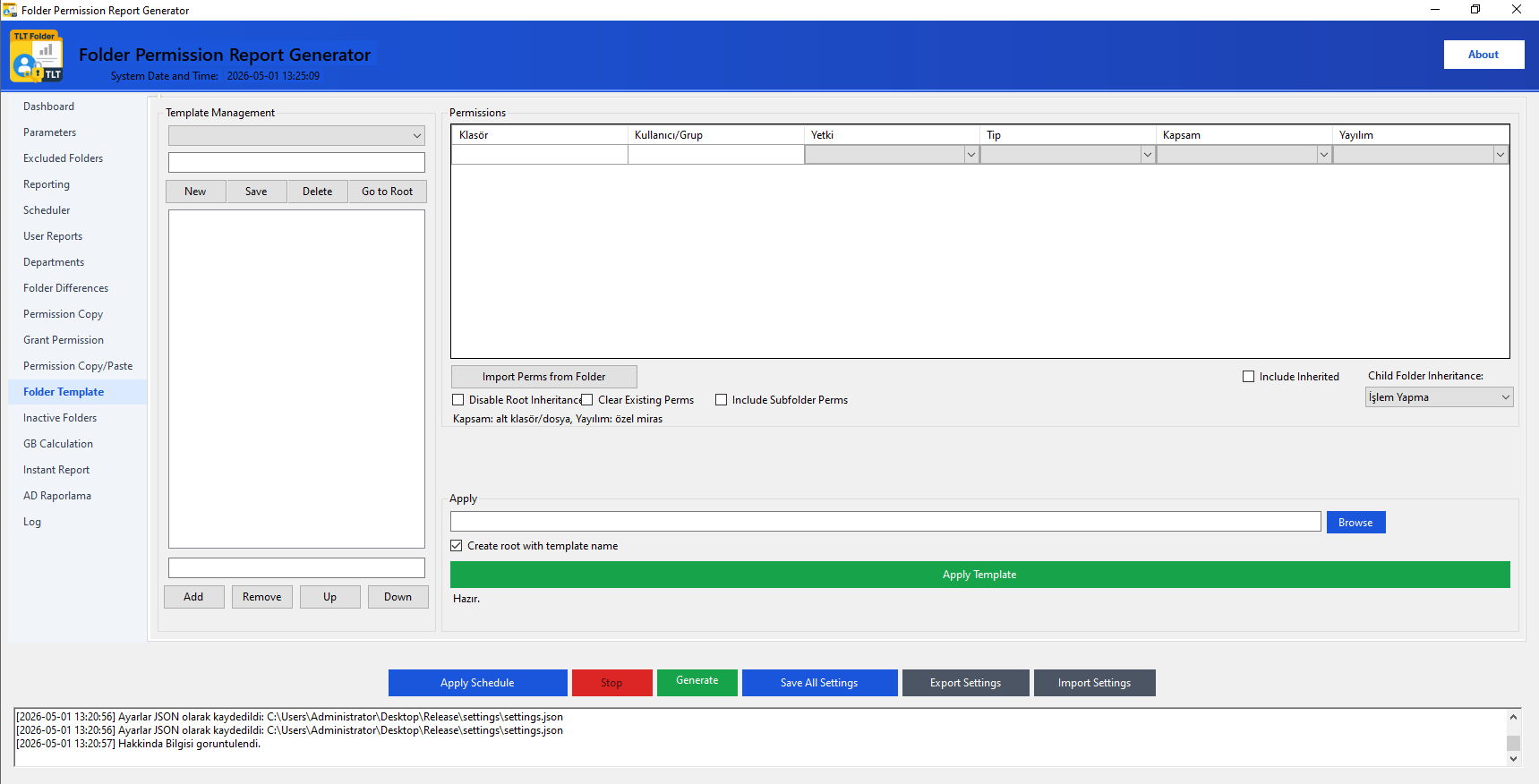
Save folder permission structures for repeated use as templates and apply them in one click.

Folder Template

Template Management

  • Create a new template with New or select an existing one.
  • Set the template name (e.g. Human Resources).
  • Edit the subfolder structure with Add/Delete/Up/Down.
  • Add permission rows to the Permissions table.
  • Click Save to store the template.

Applying a Template

  • Select the target folder from the Apply section.
  • You can check the root folder option with the template name.
  • Click Apply — folder structure and permissions are created.
Capacity Analysis

GB Calculation

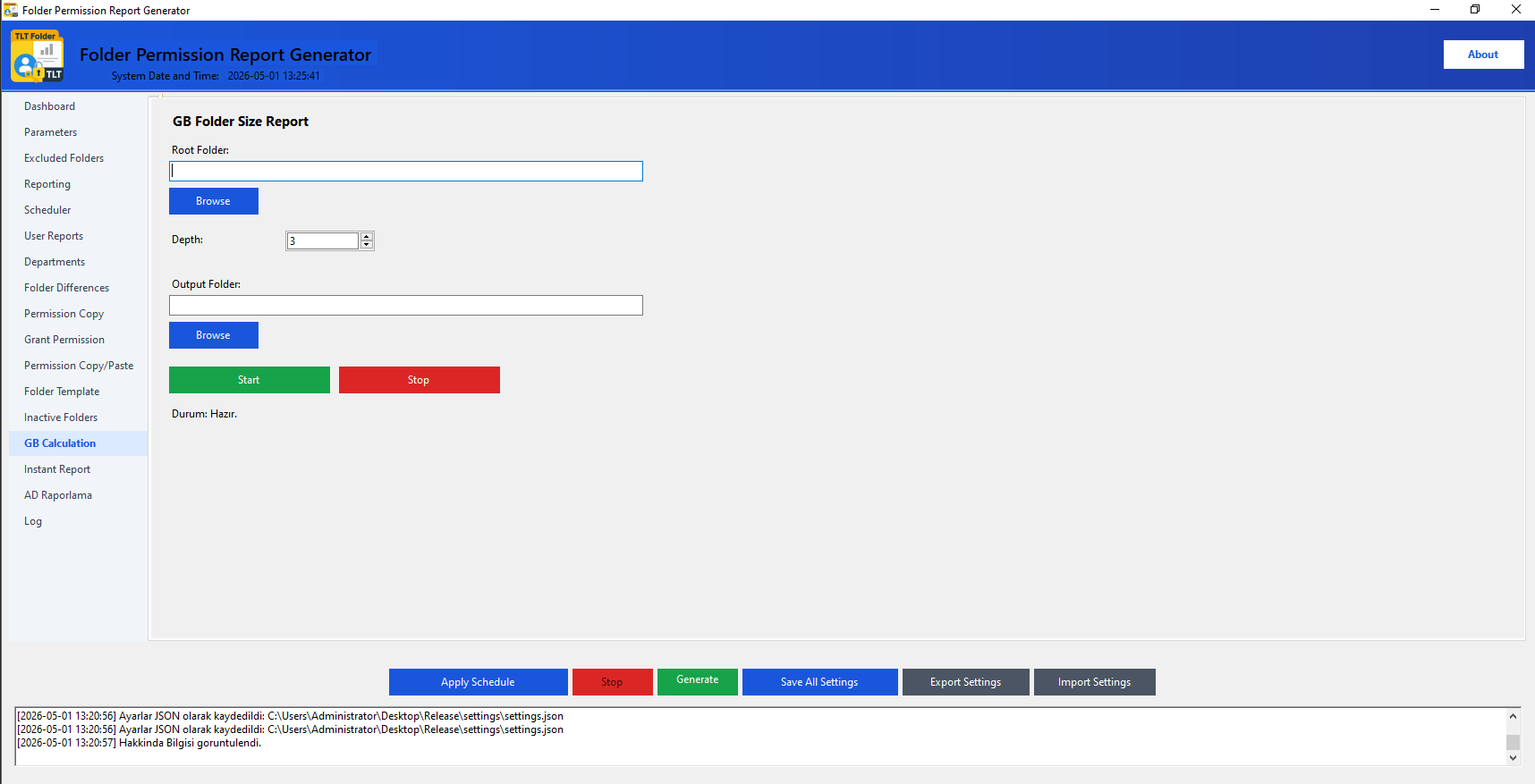
Calculate the size of all subfolders under the root folder by depth and generate an Excel report.

GB Calculation

Steps

  • Select the Root Folder.
  • Set the Depth (recommended: 2–3).
  • Select the Output Folder.
  • Click Start.
  • When complete, the Excel report is saved to the output folder.

Use Cases

  • Disk cleanup and capacity planning.
  • Identifying growing partitions.
  • Regular measurement for storage policy.
  • Combined with permission reports for both size and access visibility.
Observability

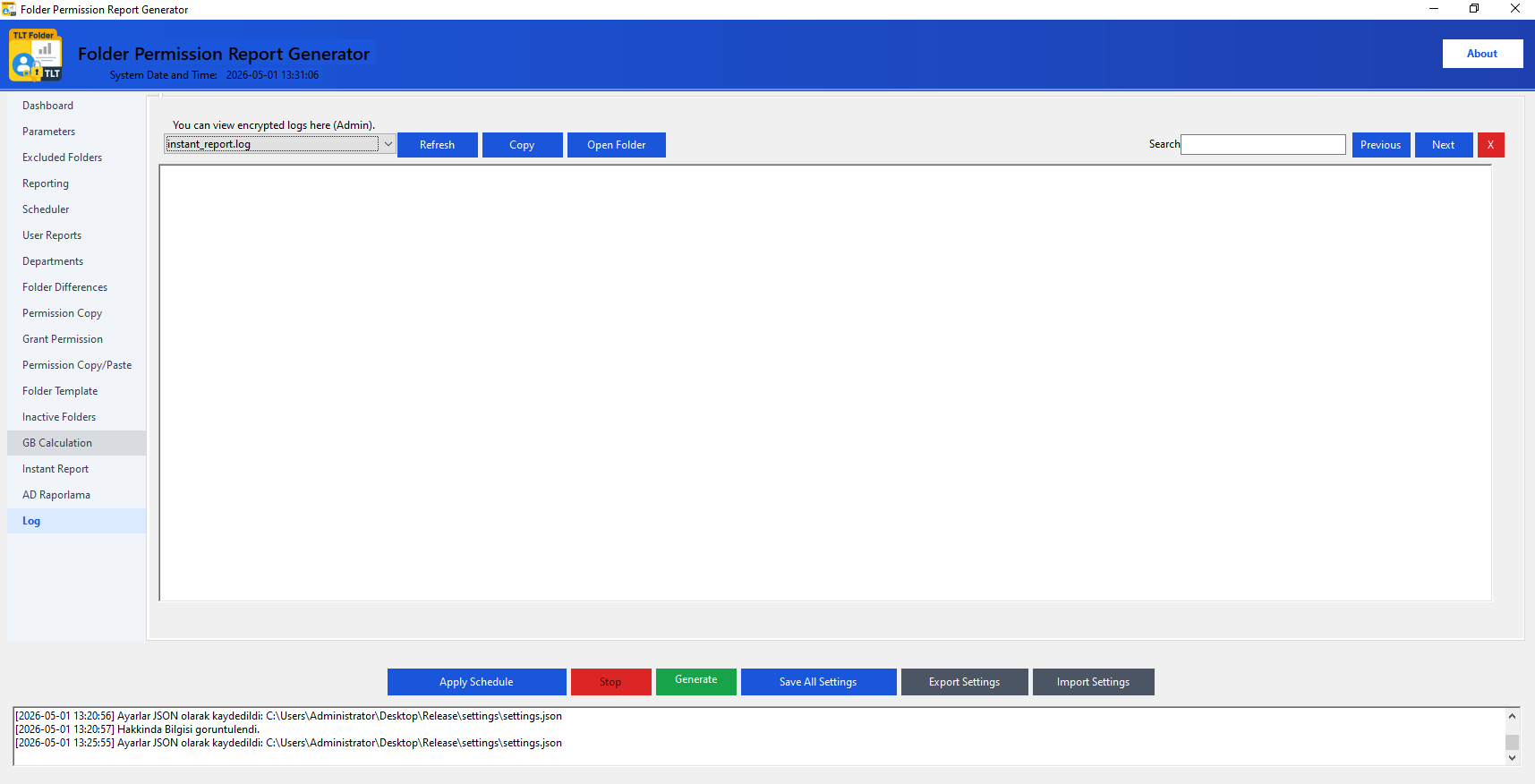
Log Viewer

View and manage encrypted records of all operations performed in the program as Admin.

Log Viewer

Features

  • Select Log: Choose from the list if multiple log files exist.
  • Refresh: Update the logs.
  • Copy: Copy all log content to clipboard.
  • Open Folder: Open the folder containing the log file.

Log Content

  • All operation records with date/time stamps.
  • AD queries, report generations, permission operations.
  • Error and warning messages.
  • Evidence-quality records for audit processes.
Quick Analysis

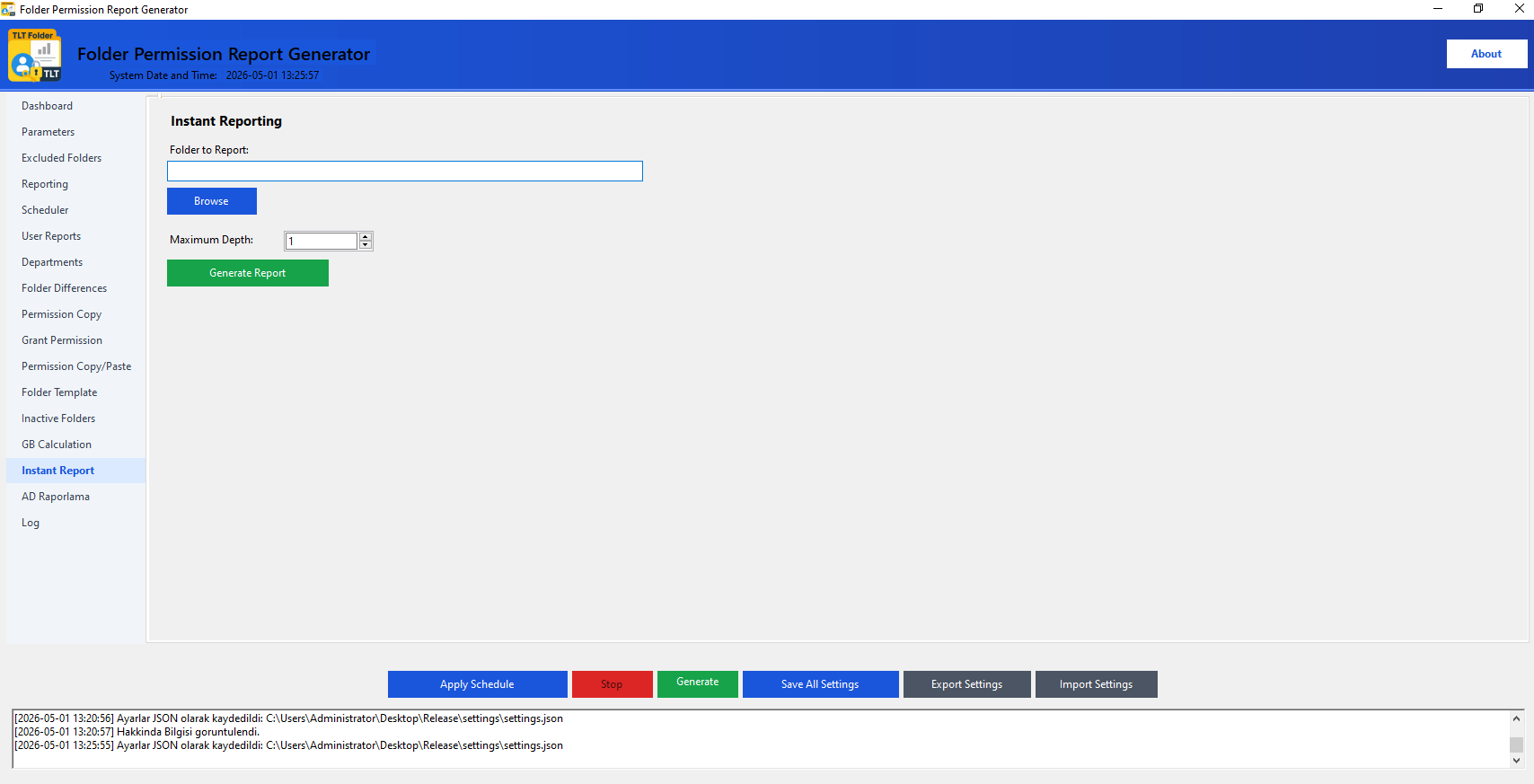
Instant Report

Quickly report a single folder without the main report configuration.

Instant Report

Steps

  • Select the Folder to Report (using Browse).
  • Set the Maximum Depth.
  • Click Generate Report.
  • The report is saved to the output path set in the Parameters tab.

When to Use

  • For a single folder that needs quick inspection.
  • For testing without changing Parameters settings.
  • Instant evidence generation during an audit.
Activity Detection

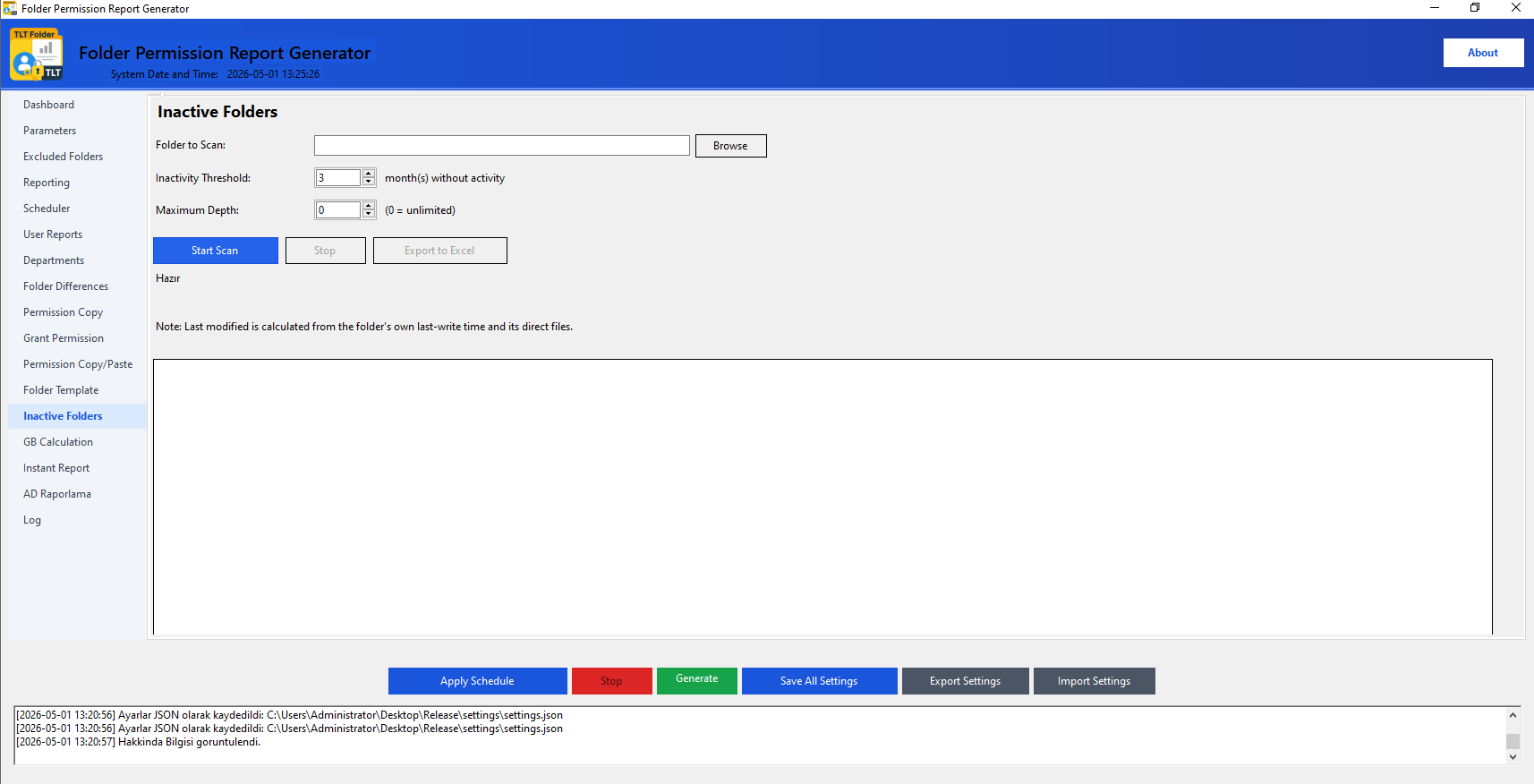
Inactive Folders

Detect folders that have had no activity for longer than your specified number of months and export to Excel.

💡 Tip: If Maximum Depth is left at 0, all subfolders are scanned. For large directory structures, starting with a limited depth (e.g. 3–4) speeds up the scan.
Inactive Folders

Steps

  • Select the Folder to Scan (using Browse).
  • Enter the Inactivity Threshold (how many months inactive, e.g. 3).
  • Set the Maximum Depth (0 = unlimited).
  • Click Start Scan.
  • When complete, found folders are listed in the grid.
  • Click Export to Excel to save the results.

Use Cases

  • Detecting idle folders unused for months.
  • Disk cleanup and archiving planning.
  • Analyzing access patterns during security audits.
  • Folders exceeding 730 days (>2 years) are highlighted in red.

Safe Use Recommendations

🗂

Record Before Changes

Before making any permission changes, report and archive the current state. It serves as a reference for rollback.

🔐

Least Privilege

Grant users/groups only the permissions they need. Prefer Read or Modify over Full Control.

📋

Log Monitoring

Check the Log tab regularly. Serves as evidence in ISO 27001 and similar audit processes.

🧪

Test with a Test Folder

Before copying permissions or applying a template, test on a small test folder. Verify results by taking a report.

🔄

Regular Delta Analysis

Generate weekly or monthly delta reports. Schedule with Auto Run.

👤

Use an Authorized Account

Use a Domain Admin or minimally privileged service account. Always log the operation.

Frequently Asked Questions

The report is very large — how do I improve performance?
Lower the depth (e.g. to 3), reduce the row limit to 500,000 and narrow the scope with Exclusions. Initially, CSV is faster than Excel.
How do I safely test permission granting/copying?
Create a test folder outside the real folder. After copying/applying, take an instant report and check the before/after difference using the Folder Differences tab.
When should Auto Run be used?
It is ideal for regular report generation. Scheduling outside business hours (e.g. 02:00 AM) reduces server load.
What should I do if the Active Directory connection cannot be established?
Make sure you are running on a domain-joined machine. You can continue by selecting 'Local Computer' as the Identity Source.
Where are log files stored?
In the application.log file in the folder where the program is installed. The 'Open Folder' button in the Log tab opens this location directly.
What is the difference between Folder Template and Grant Permission?
Grant Permission: adds/removes permissions to an existing folder. Folder Template: saves both folder structure and permissions as a template and applies them in bulk when creating new folders.
How long does the Inactive Folders scan take?
The time depends on the number of folders and depth. In large structures, you can speed up the scan by limiting the Maximum Depth value (e.g. 3–4). Progress is updated in real time during the scan and you can stop it at any time.
What date does Inactive Folders check?
For each folder, the last write time (LastWriteTime) and the last modification dates of files inside are checked. Folders older than your specified month threshold are shown in the list. Folders exceeding 730 days (≈ 2 years) are highlighted in red in the table.